> ## Documentation Index
> Fetch the complete documentation index at: https://dub-client-tracking-lead-sale.mintlify.site/llms.txt
> Use this file to discover all available pages before exploring further.
# Server-side tracking
> Learn how to track lead conversion events with Dub using server-side tracking
Conversion tracking require a [Business plan](https://dub.co/pricing)
subscription or higher.
When it comes to [conversion tracking](/conversions/quickstart), a `lead` event happens when a user performs an action that indicates interest in your product or service. This could be anything from:
* Signing up for an account
* Adding a product to cart
* Joining a mailing list
 In this guide, we will be focusing on tracking new user sign-ups for a SaaS application as lead events on Dub.
## Prerequisites
Before you get started, make sure you follow the [Dub Conversions quickstart guide](/conversions/quickstart) to get Dub Conversions set up for your links:
1. [Enable conversion tracking for your links](/conversions/quickstart#step-1%3A-enable-conversion-tracking-for-your-links)
2. [Install the @dub/analytics client-side SDK](/sdks/client-side/introduction)
3. [Install the Dub server-side SDK](/sdks/overview#server-side-sdks)
## Configure lead tracking
Depending on which authentication framework you're using, we have a few pre-built guides to help you track lead events when a new user signs up for your SaaS application:
If you're using the [Remix framework](https://remix.run/), you might run into an [issue](https://github.com/remix-run/remix/discussions/7922) where you get an empty/null value for the `dub_id` cookie. In that case, try using a library like [`cookie`](https://github.com/jshttp/cookie) instead:
```typescript
import cookie from "cookie";
const cookies = cookie.parse(request.headers.get("cookie") ?? "");
const dubId = cookies.dub_id;
```
If you're not using any of the frameworks listed above, you can use the following steps to track lead events:
1. Within the sign-up API request, retrieve the `dub_id` cookie that was created by the [`@dub/analytics` client-SDK](/sdks/client-side/introduction).
2. Send an event to the Dub API with the `dub_id` value, as well as your customer's ID and any other relevant information (email, name, avatar, etc.)
If you don't have a customer ID, you can also use the customer's `email`
instead.
## Code examples
Here are some examples of how you can track lead events using our [native SDKs](/sdks/overview):
```javascript Node.js
import { Dub } from "dub";
const dub = new Dub();
const dubId = req.cookies["dub_id"];
if (dubId) {
await dub.track.lead({
clickId: dubId,
eventName: "Sign Up",
customerExternalId: customer.id,
customerName: customer.name,
customerEmail: customer.email,
customerAvatar: customer.avatar,
});
// delete the dub_id cookie
res.cookies.set("dub_id", "", {
expires: new Date(0),
});
}
```
```python Python
from dub import Dub
import os
dub = Dub(token=os.environ['DUB_API_KEY'])
dub_id = request.cookies.get('dub_id')
if dub_id:
dub.track.lead({
'click_id': dub_id,
'event_name': 'Sign Up',
'external_id': customer.id,
'customer_name': customer.name,
'customer_email': customer.email,
'customer_avatar': customer.avatar
})
# delete the dub_id cookie
response.delete_cookie('dub_id')
```
```go Go
package main
import (
"context"
dub "github.com/dubinc/dub-go"
"net/http"
)
d := dub.New(
dub.WithSecurity(os.Getenv("DUB_API_KEY")),
)
dubId, err := r.Cookie("dub_id")
if err == nil {
_, err = d.Track.Lead(context.Background(), &operations.TrackLeadRequest{
ClickId: dubId.Value,
EventName: "Sign Up",
customerExternalId: customer.ID,
CustomerName: customer.Name,
CustomerEmail: customer.Email,
CustomerAvatar: customer.Avatar,
})
// delete the dub_id cookie
http.SetCookie(w, &http.Cookie{
Name: "dub_id",
Value: "",
Expires: time.Unix(0, 0),
})
}
```
```ruby Ruby
require 'dub'
dub = ::OpenApiSDK::Dub.new
dub.config_security(
::OpenApiSDK::Shared::Security.new(
token: ENV['DUB_API_KEY']
)
)
dub_id = cookies[:dub_id]
if dub_id
req = ::OpenApiSDK::Operations::TrackLeadRequest.new(
click_id: dub_id,
event_name: 'Sign Up',
external_id: customer.id,
customer_name: customer.name,
customer_email: customer.email,
customer_avatar: customer.avatar
)
dub.track.lead(req)
# delete the dub_id cookie
cookies.delete(:dub_id)
end
```
```php PHP
setSecurity($_ENV["DUB_API_KEY"])->build();
$dubId = $_COOKIE['dub_id'] ?? null;
if ($dubId) {
$request = new Operations\TrackLeadRequest();
$request->clickId = $dubId;
$request->eventName = 'Sign Up';
$request->customerExternalId = $customer->id;
$request->customerName = $customer->name;
$request->customerEmail = $customer->email;
$request->customerAvatar = $customer->avatar;
$dub->track->lead($request);
// delete the dub_id cookie
setcookie('dub_id', '', time() - 3600);
}
```
Here's the full list of attributes you can pass when sending a lead event:
| Property | Required | Description |
| :------------------- | :------- | :----------------------------------------------------------------------------------------------------------------------- |
| `clickId` | **Yes** | The unique `dub_id` parameter that the lead conversion event is attributed to. |
| `eventName` | **Yes** | The name of the event. Example: "Sign up". |
| `customerExternalId` | **Yes** | The unique ID of the customer in your system. Will be used to identify and attribute all future events to this customer. |
| `customerEmail` | No | The email address of the customer. If not passed, a random email address will be generated. |
| `customerName` | No | The name of the customer. If not passed, a random name will be generated (e.g. "Big Red Caribou"). |
| `customerAvatar` | No | The avatar URL of the customer. If not passed, a random avatar URL will be generated. |
## View your conversions
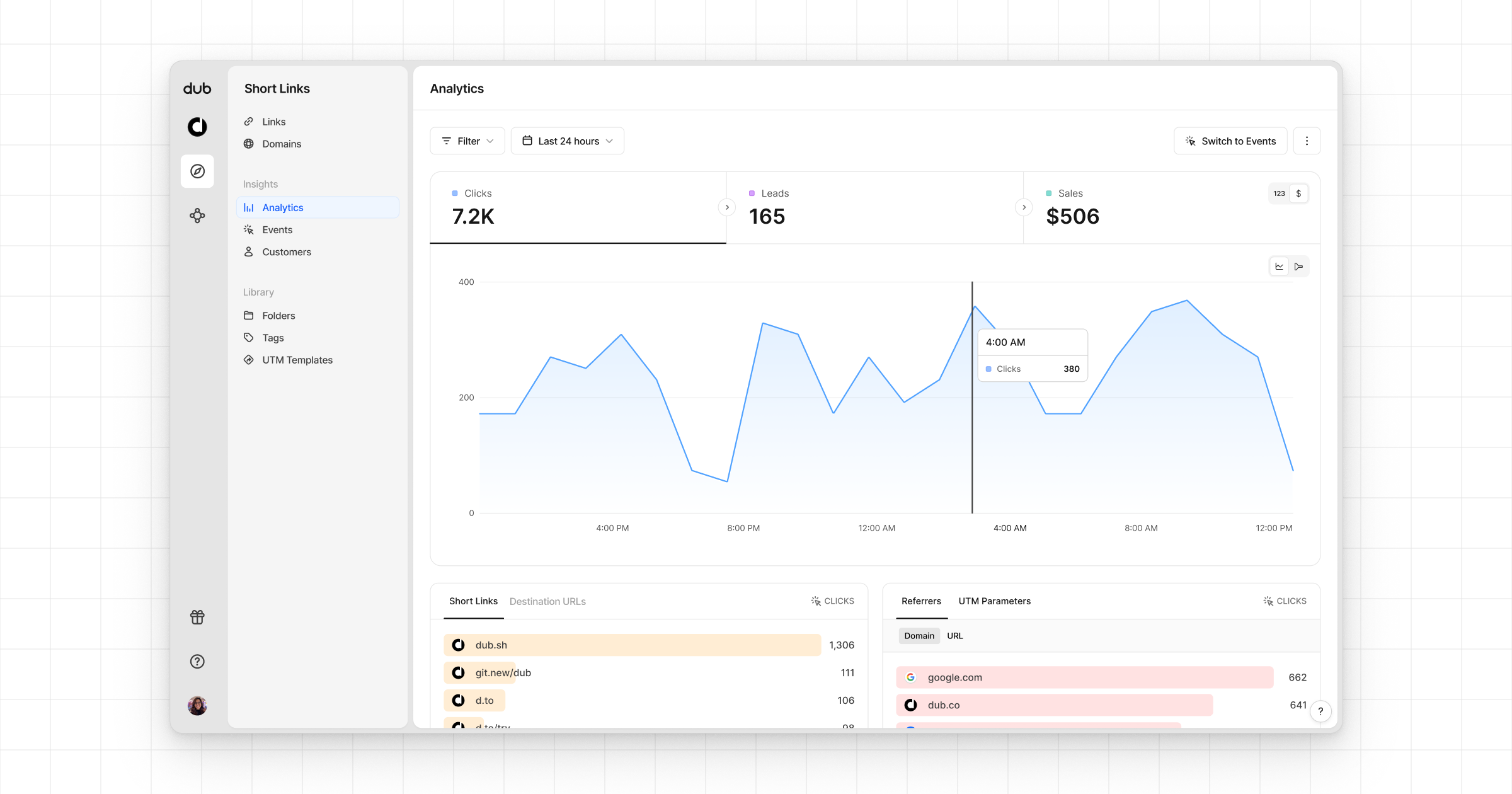
Once you've completed the setup, all your tracked conversions will show up in [Dub Analytics](https://dub.co/analytics). We provide 3 different views to help you understand your conversions:
* **Time-series**: A [time-series view](https://app.dub.co/dub/analytics?view=timeseries) of the number clicks, leads and sales.
In this guide, we will be focusing on tracking new user sign-ups for a SaaS application as lead events on Dub.
## Prerequisites
Before you get started, make sure you follow the [Dub Conversions quickstart guide](/conversions/quickstart) to get Dub Conversions set up for your links:
1. [Enable conversion tracking for your links](/conversions/quickstart#step-1%3A-enable-conversion-tracking-for-your-links)
2. [Install the @dub/analytics client-side SDK](/sdks/client-side/introduction)
3. [Install the Dub server-side SDK](/sdks/overview#server-side-sdks)
## Configure lead tracking
Depending on which authentication framework you're using, we have a few pre-built guides to help you track lead events when a new user signs up for your SaaS application:
If you're using the [Remix framework](https://remix.run/), you might run into an [issue](https://github.com/remix-run/remix/discussions/7922) where you get an empty/null value for the `dub_id` cookie. In that case, try using a library like [`cookie`](https://github.com/jshttp/cookie) instead:
```typescript
import cookie from "cookie";
const cookies = cookie.parse(request.headers.get("cookie") ?? "");
const dubId = cookies.dub_id;
```
If you're not using any of the frameworks listed above, you can use the following steps to track lead events:
1. Within the sign-up API request, retrieve the `dub_id` cookie that was created by the [`@dub/analytics` client-SDK](/sdks/client-side/introduction).
2. Send an event to the Dub API with the `dub_id` value, as well as your customer's ID and any other relevant information (email, name, avatar, etc.)
If you don't have a customer ID, you can also use the customer's `email`
instead.
## Code examples
Here are some examples of how you can track lead events using our [native SDKs](/sdks/overview):
```javascript Node.js
import { Dub } from "dub";
const dub = new Dub();
const dubId = req.cookies["dub_id"];
if (dubId) {
await dub.track.lead({
clickId: dubId,
eventName: "Sign Up",
customerExternalId: customer.id,
customerName: customer.name,
customerEmail: customer.email,
customerAvatar: customer.avatar,
});
// delete the dub_id cookie
res.cookies.set("dub_id", "", {
expires: new Date(0),
});
}
```
```python Python
from dub import Dub
import os
dub = Dub(token=os.environ['DUB_API_KEY'])
dub_id = request.cookies.get('dub_id')
if dub_id:
dub.track.lead({
'click_id': dub_id,
'event_name': 'Sign Up',
'external_id': customer.id,
'customer_name': customer.name,
'customer_email': customer.email,
'customer_avatar': customer.avatar
})
# delete the dub_id cookie
response.delete_cookie('dub_id')
```
```go Go
package main
import (
"context"
dub "github.com/dubinc/dub-go"
"net/http"
)
d := dub.New(
dub.WithSecurity(os.Getenv("DUB_API_KEY")),
)
dubId, err := r.Cookie("dub_id")
if err == nil {
_, err = d.Track.Lead(context.Background(), &operations.TrackLeadRequest{
ClickId: dubId.Value,
EventName: "Sign Up",
customerExternalId: customer.ID,
CustomerName: customer.Name,
CustomerEmail: customer.Email,
CustomerAvatar: customer.Avatar,
})
// delete the dub_id cookie
http.SetCookie(w, &http.Cookie{
Name: "dub_id",
Value: "",
Expires: time.Unix(0, 0),
})
}
```
```ruby Ruby
require 'dub'
dub = ::OpenApiSDK::Dub.new
dub.config_security(
::OpenApiSDK::Shared::Security.new(
token: ENV['DUB_API_KEY']
)
)
dub_id = cookies[:dub_id]
if dub_id
req = ::OpenApiSDK::Operations::TrackLeadRequest.new(
click_id: dub_id,
event_name: 'Sign Up',
external_id: customer.id,
customer_name: customer.name,
customer_email: customer.email,
customer_avatar: customer.avatar
)
dub.track.lead(req)
# delete the dub_id cookie
cookies.delete(:dub_id)
end
```
```php PHP
setSecurity($_ENV["DUB_API_KEY"])->build();
$dubId = $_COOKIE['dub_id'] ?? null;
if ($dubId) {
$request = new Operations\TrackLeadRequest();
$request->clickId = $dubId;
$request->eventName = 'Sign Up';
$request->customerExternalId = $customer->id;
$request->customerName = $customer->name;
$request->customerEmail = $customer->email;
$request->customerAvatar = $customer->avatar;
$dub->track->lead($request);
// delete the dub_id cookie
setcookie('dub_id', '', time() - 3600);
}
```
Here's the full list of attributes you can pass when sending a lead event:
| Property | Required | Description |
| :------------------- | :------- | :----------------------------------------------------------------------------------------------------------------------- |
| `clickId` | **Yes** | The unique `dub_id` parameter that the lead conversion event is attributed to. |
| `eventName` | **Yes** | The name of the event. Example: "Sign up". |
| `customerExternalId` | **Yes** | The unique ID of the customer in your system. Will be used to identify and attribute all future events to this customer. |
| `customerEmail` | No | The email address of the customer. If not passed, a random email address will be generated. |
| `customerName` | No | The name of the customer. If not passed, a random name will be generated (e.g. "Big Red Caribou"). |
| `customerAvatar` | No | The avatar URL of the customer. If not passed, a random avatar URL will be generated. |
## View your conversions
Once you've completed the setup, all your tracked conversions will show up in [Dub Analytics](https://dub.co/analytics). We provide 3 different views to help you understand your conversions:
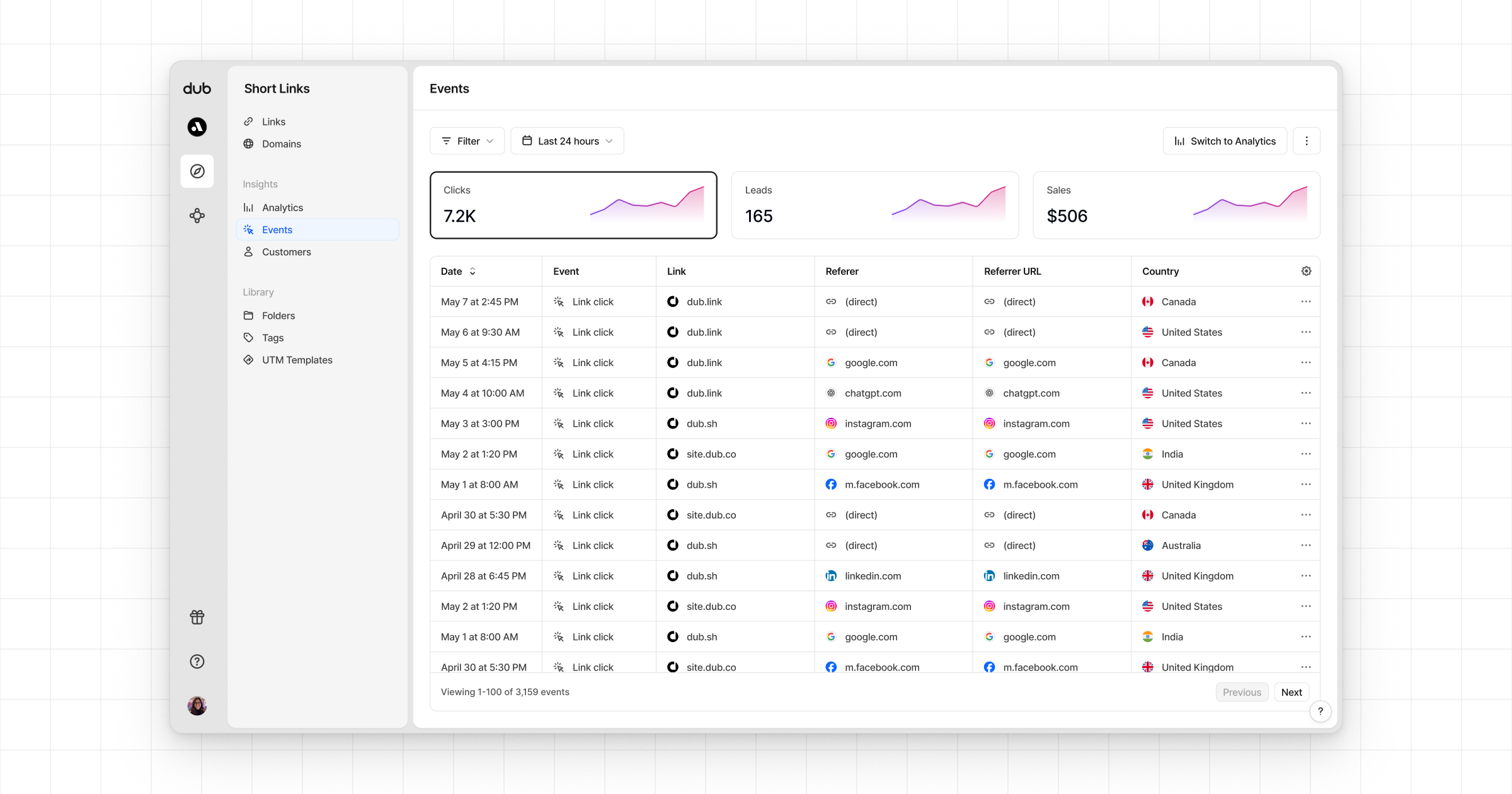
* **Time-series**: A [time-series view](https://app.dub.co/dub/analytics?view=timeseries) of the number clicks, leads and sales.
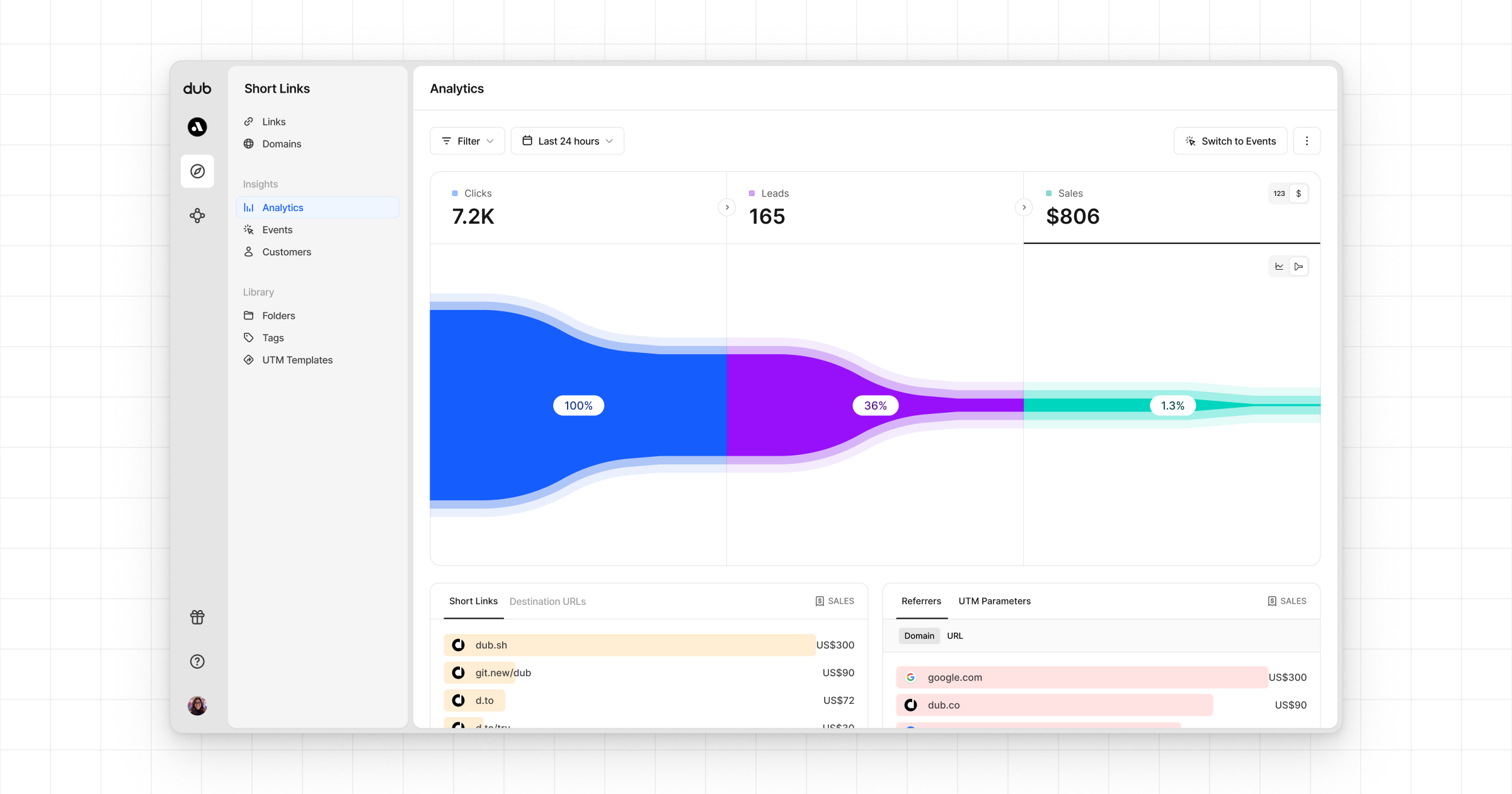
 * **Funnel chart**: A [funnel chart view](http://app.dub.co/analytics?view=funnel) visualizing the conversion & dropoff rates across the different steps in the conversion funnel (clicks → leads → sales).
 * **Real-time events stream**: A [real-time events stream](https://app.dub.co/events) of every single conversion event that occurs across all your links in your workspace.